
Learn the rule
Wait for the arrow, then select the matching direction. Keyboard: use the arrow keys.
Match each arrow to its response. Compare correct selection speed and accuracy with two or four choices.
A simple reaction task asks when to respond. This task also asks which response to choose, so accuracy and missed cues stay visible beside speed.
This is browser task performance, not a clinical measure or a universal reaction-speed percentile. Display, browser, device and input latency affect the result.
Use one short task to explore its specific rule, then compare matching sessions.
Wait for the arrow, then select the matching direction. Keyboard: use the arrow keys.
Keep the same settings, input and device. Check mistakes and misses before interpreting a faster response.
Keep local numeric history or save an accepted session to your optional account. You do not need to upload private practice material.
Choose two or four directions and 10, 20 or 30 rounds. Both arrow keys and response buttons work throughout the session.
Wait for the cue. Select its matching direction within 2.5 seconds. Each answer or missed cue advances one round. The default session has 10 rounds.
The median uses correct selections only. Check errors and misses before comparing speed with the same settings, input and device.
The median includes correct selections only. A lower value with more errors does not necessarily represent a better session.
| Metric | Meaning |
|---|---|
| Correct decisions | Correct answers plus correctly withheld WAIT responses for Go/No-Go. Missed responses remain separate from answered errors. |
| Median correct response | Middle response time among correct selections or correct GO responses. Incorrect and missed responses do not lower the median. |
| Missed responses | Presentations that reached the deadline without the required decision. Withholding a WAIT response is correct, not a miss. |
| Interruptions | A count of pauses or hidden-tab interruptions. Keep interrupted sessions separate from clean timing comparisons. |
Repeat the same choice count, input and device. Aim for accurate selections before trying four directions.
Short answers that clarify the main value of this article.
No. You can complete the task and keep a bounded local history in this browser without signing in. An optional account lets you save accepted session summaries and review them on another device.
This is browser task performance, not a clinical measure or a universal reaction-speed percentile. Display, browser, device and input latency affect the result.
The task keeps stimuli and answer order in memory for the current session. Saved history and completion reporting use allowlisted settings and numeric summaries, without the words, cue sequence or individual answers.
Choose a different task and compare results only within the same settings.
Reaction Time Test
Respond to one visual signal
Median • Fastest • Spread
Goal: Response-speed measurement for one visual signal
Wait for an unpredictable visual signal, then respond as quickly as you can. Choose 1 to 10 trials and review your median, average, fastest time, and false starts.
Test Reaction TimeGo/No-Go
Respond or withhold
Short sessions · Clear feedback · Local history
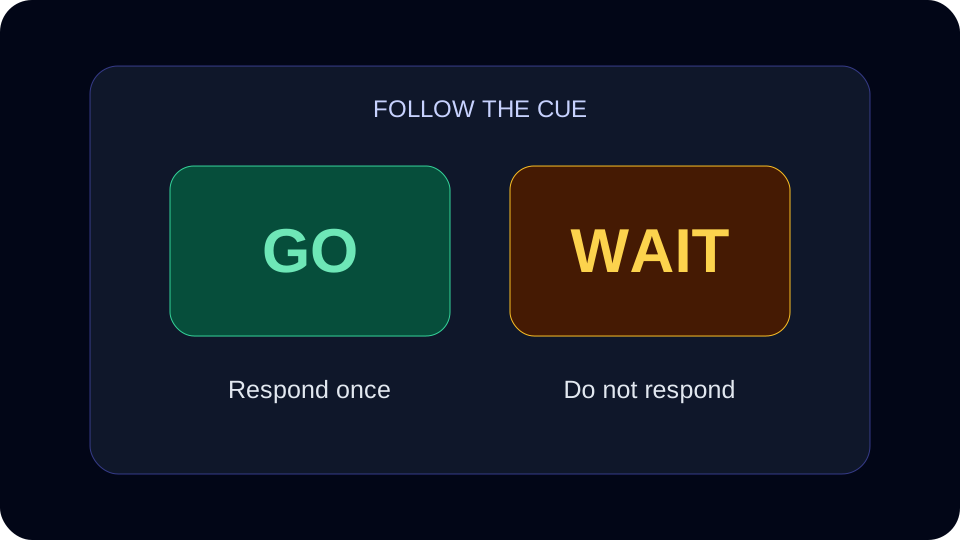
Goal: Practise a response and withhold rule
Respond to GO cues and withhold your response to WAIT cues. Review missed targets and false alarms separately.
Start practiceStroop-style Color Challenge
Match color words to their ink color.
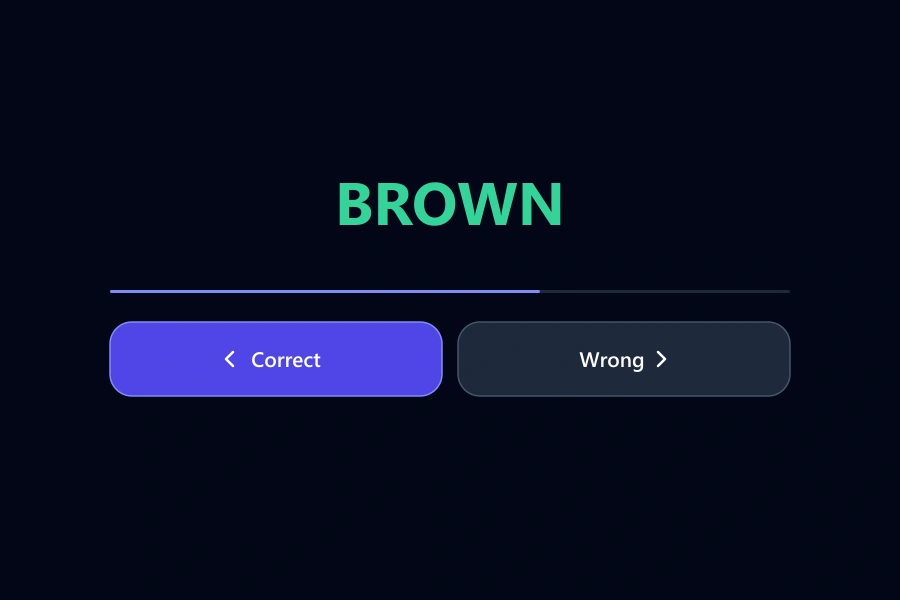
Goal: Stroop-style Color Challenge
Decide whether a color word matches its ink color. Choose 10, 20 or 30 rounds, or practise for 30, 60 or 90 seconds, and review accuracy and response time.
Start: Stroop-style Color ChallengeRead practical guidance about interpreting and repeating browser tasks.
Learn what a reaction time test measures, how to read the median, fastest response, spread, and false starts, and why there is no universal good score in milliseconds.
Learn how to benchmark cognitive training progress with time, accuracy, mistakes, consistency, streaks, and Quartenson community and this-device comparisons.
Compare simple reaction time, choice reaction and Go/No-Go with one worked example. Understand the rules and errors, then choose a reaction practice task.