

How to Remember a Process or Sequence of Steps
Last updated 8 minutes to read
You know every item in a routine, yet skip one when you are interrupted. Or you can recite the headings but cannot explain what counts as finishing a step. The problem may be the transition, the meaning of an action, or keeping track of progress, not simply a shortage of memorable pictures.
This guide uses one fictional document workflow to compare three memory aids. The aim is to learn a sequence and test understanding, not to turn an actual procedure into something you must perform from memory.
Check the real process before memorizing it
Start with the current instructions from the person or source responsible for the task. Mark the version or date. A fluent recollection of an outdated process is still the wrong process.
For each step, write an action, what must be true before it starts, and what observable result means it is complete. “Check” is too vague on its own. “Open the final view and confirm that it contains the intended content” gives you something to verify.
Separate a required order from a convenient order. If one step needs the output of another, preserve that dependency. If the instructions contain a choice, repeat, or stop condition, keep it explicit. Do not flatten “if the check fails, return to editing” into “always continue to sharing.”
For important procedures, keep approved checklists, required training, supervision, and actual completion records authoritative. Do not remove them because a mnemonic feels reliable. This article is not a substitute for your workplace's instructions.
A six-step example: prepare a short team update
Imagine a team has agreed on the following simplified workflow. It is an original teaching example, not a universal document policy. Rehearse with a dummy file; there is no need to send anything or use confidential information.
1. Confirm the brief
Check the intended audience, purpose, and destination of a short team update.
Completion check: You can state who the update is for and where the final copy should go.
2. Make a working copy
Create a clearly named working copy of the approved template. Keep the source template unchanged.
Completion check: The working copy is distinguishable from the source.
3. Update the content
Put the relevant information into the working copy and remove template placeholders.
Completion check: The intended content is present rather than the sample text.
4. Check the final view
Inspect the version the reader will receive, including the audience, content, and any links. Correct problems before sharing.
Completion check: The final view, not merely an earlier draft, has been checked.
5. Share the checked version
In this fictional workflow, share only the checked copy to the destination confirmed in the brief.
Completion check: The chosen file and destination match the checked version and brief.
6. Record what was shared
Keep a reference to the shared version and note completion in the agreed place.
Completion check: A later reader can identify what was shared, not just find a newer working draft.
The short cues are brief, copy, edit, preview, share, record . They stand for the fuller actions above. Making a working copy precedes editing so the source stays unchanged. Previewing precedes sharing so you inspect what the reader will receive. Recording follows sharing so the reference describes what was actually shared.
Notice the loop: if preview reveals a problem, return to editing, then preview again. A six-item memory list is not permission to ignore that condition.
Choose the smallest memory aid that solves your problem
Try one method first. The three alternatives below encode the same example; they are not three systems you must learn together.
Meaningful grouping: remember the purpose of each phase
Group the six actions as prepare (brief, copy), produce and check (edit, preview), and deliver and leave a record (share, record). Explain why each pair belongs together, then expand each group back into its two actions.
Use this when the phase names help you reconstruct the workflow. Three group names alone are not a successful answer if the details disappear inside them. The Chunking guide explains meaningful grouping in more depth.
Story Chain: connect what comes next
Imagine a brief folding itself into a copier. The copier produces a pencil, which edits a page. The page swings into a preview window. Only after inspection does the window open into an outgoing envelope. The envelope lands in a record book.
Each action should bring back the next cue. Translate the scene back into real instructions: a pencil means update the working copy, not “find a pencil.” If you recall the window but lose what follows, repair that transition instead of making the whole story longer.
This is an option when you want a forward chain. Do not rely on the story to tell you which actions have already happened in a live task.
Numbered pegs: retrieve a fixed position directly
If you already know the first six pegs in the 1-10 Peg System , attach each action to its position. Keep the peg list stable; these are temporary associations for this example.
One - bun: brief
A bun opens into the brief and reads out the audience and destination.
Two - shoe: copy
A shoe stamps out a separate copy of the template.
Three - tree: edit
A tree grows a pencil that replaces the sample text.
Four - door: preview
A door becomes a preview window with a magnifying glass.
Five - hive: share
A hive sends the checked page to the destination on the brief.
Six - sticks: record
Sticks form a frame around the shared version and its completion note.
Now “What is step four?” can cue the door and preview without replaying the earlier images. If the pegs themselves are unfamiliar, learn them separately or stay with grouping. Pegs are addresses, not an explanation of why the order is correct. If the procedure changes, update the associations rather than preserving an obsolete number.
Test actions, order, and understanding separately
Cover the example and cue lists. Write all six actions in order, then give a completion check for each. Mark omissions, swapped positions, and vague actions separately. A correct list of objects is not enough.
Next, answer these questions without looking: What must happen before sharing? What do you do if the final view contains a mistake? Why is “record” not the same as saving another working draft?
Check the sequence and reasoning
Brief, copy, edit, preview, share, record. Check the final view before sharing. If it has a mistake, return to editing and check again. The record identifies the shared version and completion, not simply the newest file you happen to have.
Finally, walk through a dummy version with the written instructions available. Verify each result. Recalling a process and being able to carry it out are different checks; neither should be inferred from a memory-game score.
Repair according to the error: restore a missing action, contrast two swapped actions, expand a vague cue, or revisit the instruction you misunderstood. Then cover the answer and try the repaired part with the steps immediately before and after it.
After an interruption, verify where you are
A memory aid tells you the planned sequence. It does not record the state of the current task. “I remember preview” could mean you planned to preview, started doing it, or finished it.
Practise this pause scenario: you edited the dummy file and opened its preview, but were interrupted before checking it. On return, what is the next action?
Check the restart point
Opening the preview was not the completion check. Confirm the current file and finish inspecting the final view before sharing. If you cannot verify the last completed action, consult the instructions and task record rather than guessing from the last image you remember.
For your own process, keep a clear completion marker and a note of any unfinished action using the method your workflow permits. After a process update, check the current version before rehearsing it. A strong old story can still bring back an old instruction.
Apply the routine to one process you need
Choose a short, low-stakes process with a reliable written source. Record its version, actions, dependencies, stop conditions, and completion evidence. Use plain action labels before adding images.
Group the actions by purpose. If the next step still disappears, try a short chain. If fixed positions matter and you know your pegs, try numbered associations. Hide your notes, reconstruct the actions, explain the dependencies, and compare with the source.
Return after a break and at your next practice session before rereading. Try a restart question as well as a full recitation. This is a suggested routine, not an experimentally established review schedule. Keep the written procedure available during actual work.
The Story Chain Trainer can provide temporary ordered-item practice, while the Peg System Trainer practises numbered associations. Neither validates a procedure, tracks real completion, or maintains an approved instruction library. Use non-sensitive practice labels and return to the real instructions afterward.
What this practice does and does not establish
A review of classroom retrieval practice found generally favorable results, mainly against rereading or no activity; comparisons with other learning activities were less conclusive. This supports including attempts to retrieve what you learned, not assuming that recall replaces practice or explanation.
The document workflow, cue scenes, method-selection suggestions, and interruption exercise are original teaching choices, not a validated workplace intervention. No method here guarantees error-free performance or makes it appropriate to abandon required checklists.
Start small: choose one current process, explain two important dependencies, and test the actions without looking. Then use the written instructions to check both what you remembered and what you actually did.
Frequently Asked Questions
Short answers that clarify the main value of this article.
What is the best way to remember a sequence of steps?
First understand the actual order and what each step accomplishes. Try meaningful groups, then add a story for forward recall or numbered pegs for fixed positions if needed. Test the full actions without looking and check against the current written process. No single memory aid is best for every task.
How is a process different from a list?
A list names items. A process also has actions, conditions, dependencies, and evidence of completion. Remembering six labels does not show that you can carry out the steps or decide what to do when a condition changes.
Should I use a Story Chain or numbered pegs?
A story is an option for recalling what comes next through connected cues. Pegs assign information to fixed numbered positions, useful when you need to retrieve a particular step directly. Neither replaces the written procedure or proves that an action was completed.
What should I do if I lose my place?
Check the written process and evidence of the last completed action before continuing. Do not use the most recently remembered image as a completion record. In a practice exercise, identify the missing transition and retest it.
Can I use this for important workplace procedures?
A mnemonic may help you learn an approved procedure, but it must not replace current instructions, required training, supervision, or completion checks. This article's fictional document example is not an operating procedure for your workplace.
Do the memory trainers save or validate my procedure?
The linked trainers practise ordered recall or numbered associations with temporary material. They do not validate workplace instructions, track real task completion, or maintain a versioned procedure library. Keep the authoritative process and completion record separately.
Continue learning
More Quartenson guides connected to this topic.
Chunking for Memory
Learn how to turn digits, concepts, and instructions into meaningful chunks, then test exact recall, diagnose errors, and choose when another mnemonic works better.
Peg System for Memory
Learn the 1-10 pegword mnemonic, build clear peg-to-item links, test random-position recall, repair weak associations, and reuse pegs with less confusion.
Remember New Vocabulary
Build a sound cue for a new word, test its meaning and exact form, and practise using it. A worked vocabulary example with spelling checks and later review.
Mnemonics for Studying
Turn study notes into questions, build useful memory cues, and test recall and understanding with a worked example and a repeatable study routine.
Try a free tool
Practice the same ideas with a browser-based exercise.
Story Chain Memory Trainer
Link items into one connected story
Build • Recall • Repair
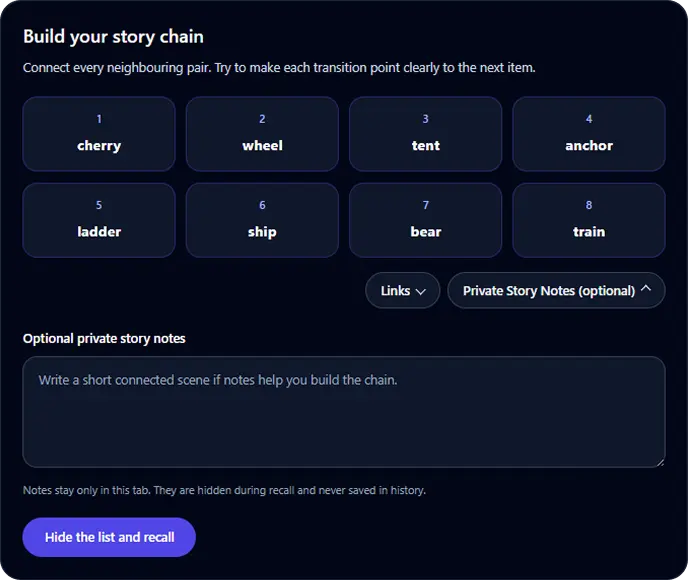
Story Chain Memory Trainer
Browser toolGoal: Recall a short ordered list through connected links
Build a connected story for 4 to 8 items, hide the list, recall it in order, identify the first broken link, and retest after focused repair.
Start Story Chain TrainerPeg System Memory Trainer
Link numbered pegs to temporary targets
Review • Recall • Repair
Permanent Peg System positions
- 1bun
- 2shoe
- 3tree
- 4door
- 5hive
- 6sticks
- 7heaven
- 8gate
- 9vine
- 10hen
Peg System Memory Trainer
Browser toolGoal: Retrieve a short target list by numbered position
Learn 5 or 10 permanent memory pegs, attach a generated or custom list, test positions in random order, repair weak associations, and retest for free.
Start Peg System Trainer