
Mode-specific history
Symbols, letters, and numbers keep separate recent sessions so results stay easier to compare.
Free Browser Tool
Find one target hidden among similar symbols, letters, or numbers. Complete ten short rounds and review your median search time, accuracy, and clean-round count.
The exercise runs entirely in your browser and requires no account. It is a practice task, not a medical, eyesight, ADHD, or cognitive diagnostic test.
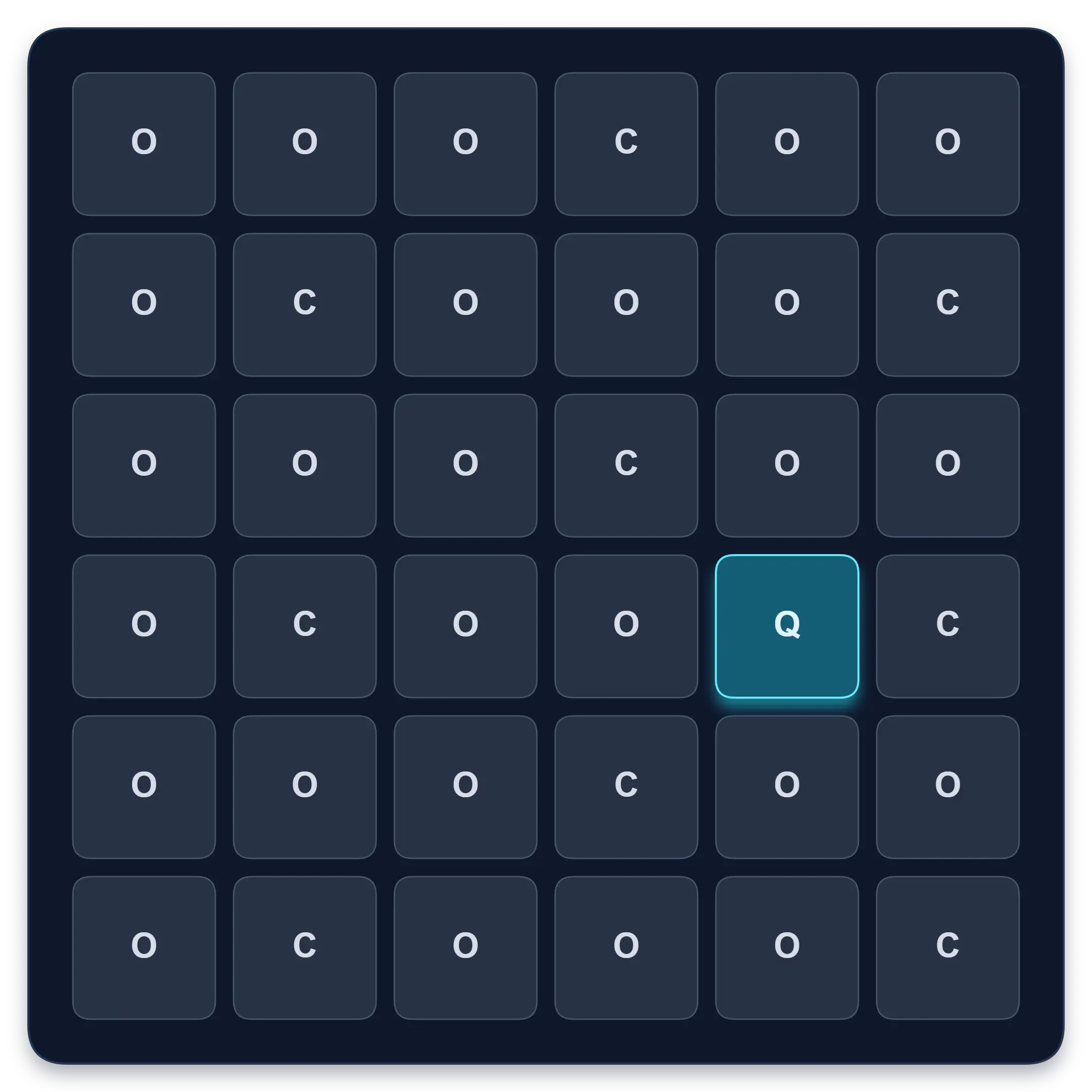
The visual search history helps you come back to the same mode and difficulty and compare recent sessions over time. Instead of relying on one lucky round, you can review median response time, accuracy, errors, and your local personal bests.
Symbols, letters, and numbers keep separate recent sessions so results stay easier to compare.
Easy, Standard, and Hard records are tracked separately because denser grids should not be compared as the same task.
Guest sessions stay in this browser and are not sent to analytics. When signed in, supported result summaries are saved to your Quartenson account.
Short, regular sessions can help you notice whether your target finding is becoming more consistent, but this tool is still practice rather than a diagnostic test.
Use this tool when you want a short target-finding task that balances speed with accuracy.
Useful for people who want to practise spotting one item among similar distractors.
Good when you want to see whether faster choices are also staying correct.
Best for users who prefer ten quick rounds with a clear median, accuracy, and error summary.
Each browser tool includes a result benchmark below the trainer. After a completed session, guests can compare the current setup with anonymous community completions or sessions saved in this browser. Signed-in users can choose Your results to compare account history. Use benchmarks as practical context, not as a medical, safety, or diagnostic score.
Benchmarks are grouped by matching tool settings, such as grid size, mode, difficulty, trial count, device context, and input method.
Community charts use completion metrics only. They do not include account details, email, or your local progress history.
Guests use sessions stored in this browser. Signed-in users can choose Your results to compare account history.
A visual search exercise asks you to locate a target among other items known as distractors.
In this trainer, the target remains the same during a ten-round session while its position changes on every grid. Your goal is to identify it quickly without guessing or selecting the wrong cells.
This is a practice tool, not a medical, eyesight, ADHD, or cognitive diagnostic test.
No. This visual search test is not an image-search engine and does not use uploaded pictures.
In cognitive tasks, "visual search" means finding a target among other items. In this tool, you look for one symbol, letter, or number hidden among similar distractors.
Useful results combine response speed with accuracy across several rounds.
Do not judge a session from the fastest round alone. A useful result combines response speed with accuracy across several rounds.
| Metric | What it means |
|---|---|
| Median search time | The middle response time across the session |
| Fastest clean round | Your quickest round without a wrong selection |
| Accuracy | Correct target selections compared with all selections |
| Clean rounds | Rounds completed without selecting a distractor |
Compare sessions only when the mode, difficulty, device, and input method stay the same.
A clean result means you selected the correct target without choosing a distractor.
Fast results are useful only when accuracy stays high. If your median search time improves but errors increase, slow down and rebuild clean selections first.
Use Symbols if you want the most language-neutral version of the exercise.
Use Letters if you want a task based on shape similarity, such as finding Q among O and C.
Use Numbers if you want a number-based target-finding task that feels closer to grid exercises such as Schulte tables.
When comparing results, keep the same mode and difficulty. A Hard letter session should not be compared directly with an Easy symbol session.
Grid density and target-distractor similarity both change the difficulty of the task.
Visual search usually becomes harder when the grid contains more items or when the target looks more similar to the distractors.
That is why this tool changes both grid density and target similarity across its difficulty presets.
Smaller grid and clearly different distractors.
More grid items and moderately similar distractors.
Dense grid with highly similar distractors.
Do not compare times across different difficulty presets as though they are equivalent.
The two exercises are related, but they do not measure exactly the same task.
| Visual Search Test | Schulte Table |
|---|---|
| Find one target among distractors | Find a full sequence in order |
| New randomized grid each round | One grid remains during the session |
| Measures response time per target | Measures total completion time |
| Emphasizes target discrimination | Emphasizes sequential scanning |
| Tracks errors across repeated rounds | Tracks mistakes across one full table |
The two exercises are related but not interchangeable.
Both involve scanning a visual field and ignoring irrelevant items. A Schulte table asks you to find many ordered targets in one grid, while visual search asks you to identify one target repeatedly among similar distractors.
For sequential number practice, try the free Schulte table trainer.
Look at the target before starting the first round. Do not begin while you are still trying to remember its shape.
A slightly slower correct result is more useful than repeated random tapping.
One or two ten-round sessions are enough for a quick practice break.
Keep mode, difficulty, and device unchanged when comparing results.
If wrong selections begin increasing, rest instead of forcing another session.
Short answers about the browser-based visual search trainer.
A visual search test asks you to find a target among other items called distractors. This browser version uses repeated randomized grids and tracks response time and incorrect selections.
Yes. It is a simple find-the-target exercise where one item is hidden among similar distractors. The tool also tracks median search time, accuracy, and clean rounds.
No. It is a recreational browser exercise and does not diagnose vision conditions, ADHD, attention disorders, or cognitive ability.
A visual search round asks you to find one target among distractors. A Schulte table asks you to find a sequence of numbers or symbols in order across one persistent grid.
There is no universal time for this tool because results depend on difficulty, mode, device, screen size, and input method. Compare your own sessions using the same settings.
Different target positions, fatigue, accidental selections, device conditions, and normal variation can all change the result. Use several sessions before judging a trend.
Start with Easy if the task is unfamiliar. Use Standard for normal practice and Hard only when you can maintain accuracy on less similar targets.
The exercise gives you a way to practise target finding and observe your response speed and accuracy. It does not guarantee broader attention improvements or replace professional assessment.
Yes. Without an account, the tool stores up to 30 completed sessions per mode and difficulty, plus personal bests, in this browser. When you are signed in, supported result summaries are saved to your Quartenson account and appear in account history. Clear local history removes guest records stored in this browser.
Yes. After ten rounds, the tool can open a share result with your median search time, accuracy, clean rounds, difficulty, target, and a link back to the exercise.
After a completed session, the benchmark compares matching tool settings. The Community view uses anonymous aggregate results. Guests can use This device for sessions stored in this browser; signed-in users can choose Your results to load account history.
Quartenson uses only the result metrics needed for comparison, such as time, accuracy, mistakes, level, or clean trials. It does not use account details, email, or local history for the community chart.
A benchmark needs enough matching completions for the exact setup. If there is not enough data yet, the chart may be hidden until more matching results are available.
Compare visual search with another browser-based visual-scanning exercise.
Free Schulte Table Trainer
Find the numbers in order
Focus • Scanning • Speed
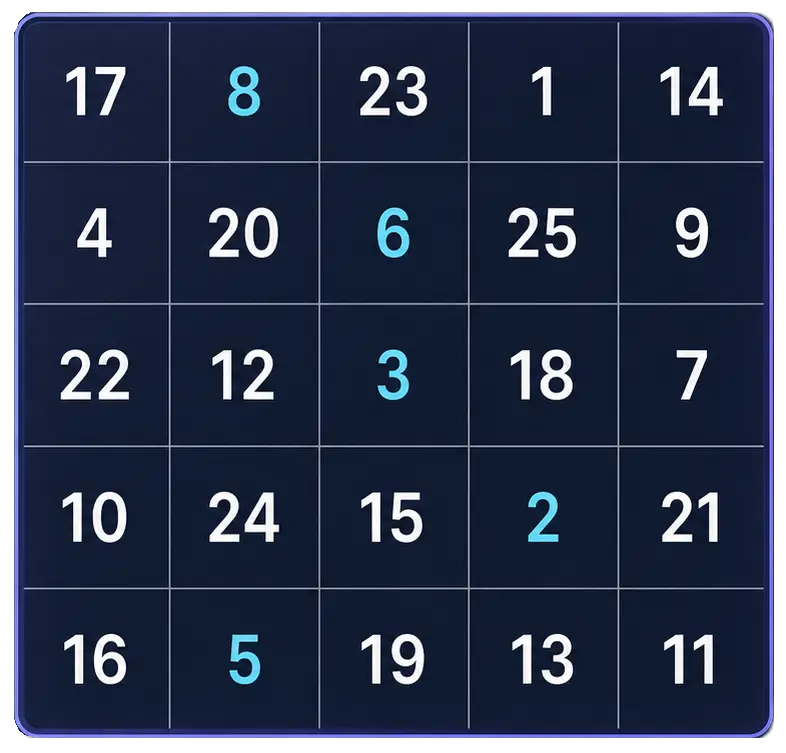
Goal: Cleaner 5x5 rounds with fewer mistakes
Practice Schulte tables online with a simple browser grid. Choose 3x3 through 7x7, track time and mistakes, and use pause, shuffle, and keyboard controls for quick focus sessions.
Start Free TrainerReaction Time Test
Respond to one visual signal
Median • Fastest • Spread
Goal: Response-speed measurement for one visual signal
Wait for an unpredictable visual signal, then respond as quickly as you can. Choose 1 to 10 trials and review your median, average, fastest time, and false starts.
Test Reaction TimeRead more about visual awareness, focus measurement, and adjacent Schulte table practice.
Try a peripheral-awareness exercise, compare central and side-target accuracy, and learn why browser practice is not a clinical visual field test.
Measure focus during work or study with a simple task log, quality checks and distraction notes. Try a worked example and learn what game scores cannot tell you.
Compare peripheral awareness, visual search and sequential scanning through worked examples. Choose an exercise by its task, not just its score.
Use the app for deeper Schulte table tracking and longer-term review.
Schulte table training with progress
History, heatmaps, pace, and weekly review
History • Heatmaps • Progress
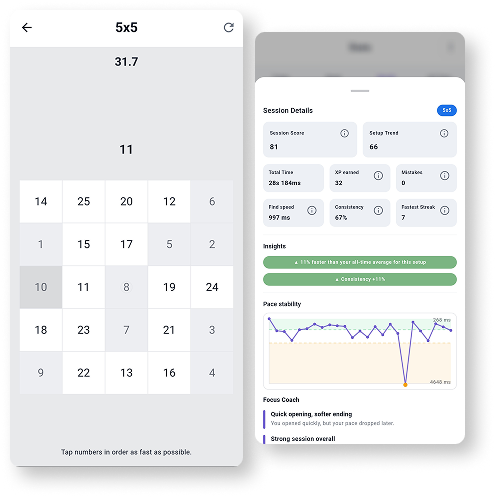
Train Schulte tables on Android with session history, pace patterns, heatmaps, achievements, and weekly progress review.
Explore Schulte Tables