
Classic vs Dynamic Schulte Tables: Why Shuffle Mode Changes the Result
Last updated 8 minutes to read
A Classic Schulte table and a Dynamic Schulte table are both useful, but they are not the same measurement.
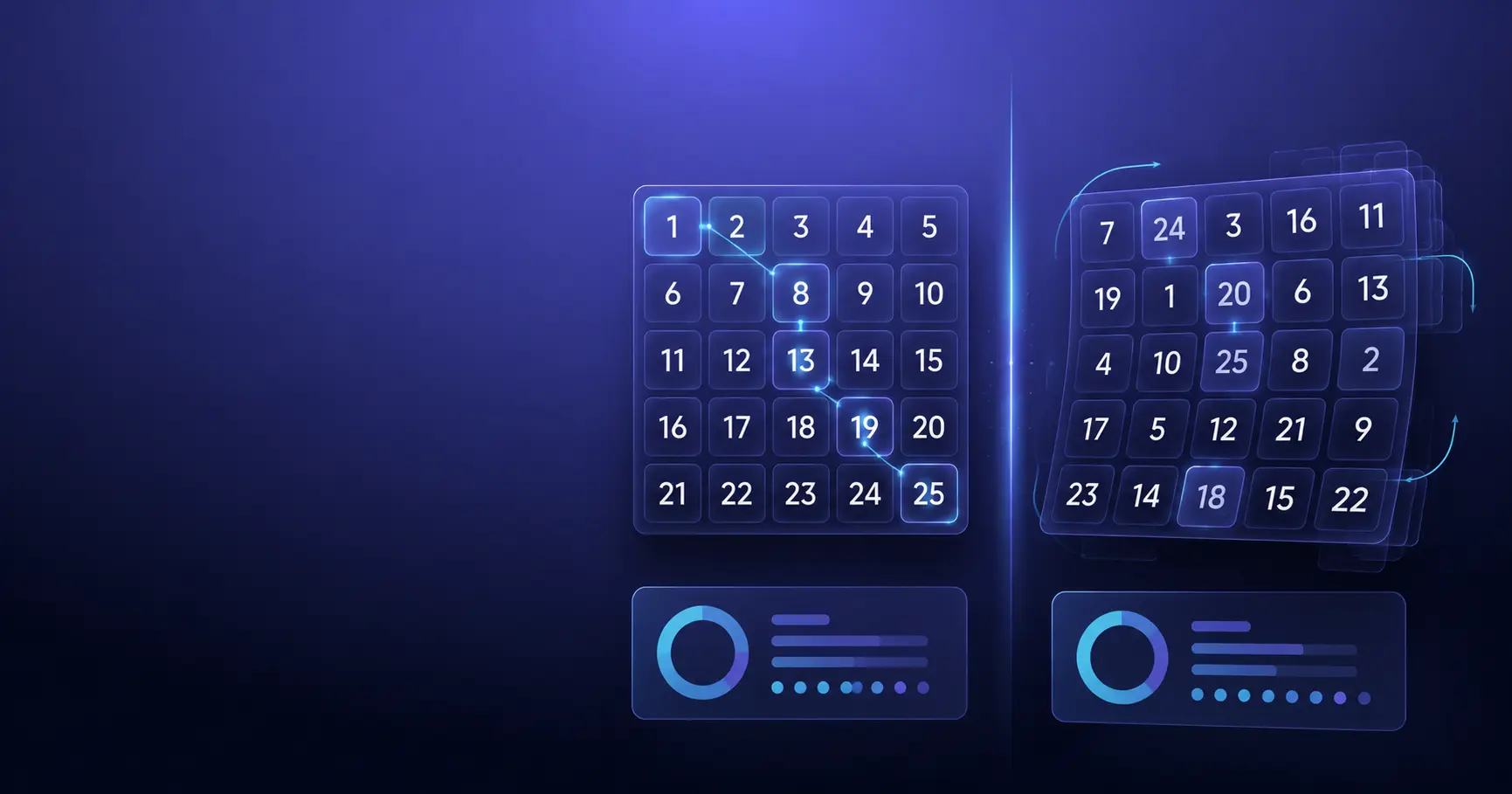
In Classic mode, one randomized grid stays fixed while you find the numbers in order. In Dynamic or shuffle mode, the grid reshuffles after each correct target. That changes how you search, how difficult the round feels, and how you should interpret the result.
Quick answer: Classic and Dynamic results should be separate
Use Classic mode when you want a normal Schulte table round, a cleaner 5x5 baseline, or a result you can compare with practical average-time ranges.
Use Dynamic mode when you want a harder exercise where each correct click creates a new search problem. Track it separately, because a Dynamic time should not be judged against a Classic time.
Classic
The layout stays fixed for the whole round. This is better for clean timing and repeatable comparison.
Dynamic
The layout reshuffles after each correct number. This is a separate challenge, not a harder version of the same score.
Try both modes in the free trainer
The Quartenson Schulte Table Trainer keeps Classic and Dynamic histories separate, so you can try both without mixing records.
Free Online Schulte Table Trainer
Choose 3x3 to 7x7 tables, switch between Classic and Dynamic mode, and review recent sessions stored only on your device.
Browser tool
Use it for quick practice, local recent history, and separate Classic or Dynamic personal records in this browser.
Try Classic and Dynamic ModesMobile app
Use the app when you want structured sessions, deeper review, achievements, heatmaps, and longer-term progress patterns.
Explore Schulte TablesWhat is Classic Schulte table mode?
Classic mode uses one randomized grid for the whole round. If you start a 5x5 table, the numbers stay in the same cells while you search from 1 to 25.
This makes the result easier to compare because the task rules stay stable during the round. You still need to scan quickly, avoid mistakes, and keep a calm rhythm, but the grid does not change under you.
Best use
Use Classic mode for baseline sessions, average-time comparisons, clean personal records, and normal Schulte table practice.
If you are comparing 5x5 results, start with the Schulte table average-time guide.
What is Dynamic or shuffle mode?
Dynamic mode reshuffles the grid after each correct selection. You still find numbers in order, but the next target appears in a new layout every time.
That turns each step into a fresh visual-search problem. You cannot rely as much on remembering nearby positions from the earlier part of the same round.
Best use
Use Dynamic mode when you want a separate target-finding challenge with more repeated scanning resets.
Why shuffle mode changes the task
Classic mode rewards an ordered search through a stable layout. As the round progresses, you may remember where some later numbers are, and the table becomes partly familiar.
Dynamic mode removes that growing familiarity. After each correct click, the next target must be found inside a new arrangement. The task becomes less about finishing one stable map and more about repeatedly rebuilding the search.
Classic question
How quickly can I move through one stable number map without losing accuracy?
Dynamic question
How quickly can I restart my search after the layout changes again and again?
Because those questions are different, Classic and Dynamic times should not be mixed in the same personal-best or average-time comparison.
Classic vs Dynamic Schulte table comparison
The practical difference is not just visual. The modes change what a result means.
| Topic | Classic mode | Dynamic mode |
|---|---|---|
| Grid layout | One randomized layout stays fixed | Grid reshuffles after each correct target |
| Main challenge | Complete one stable ordered search | Restart visual search repeatedly |
| Best for | Baseline, average, personal-best tracking | Target-finding challenge and variety |
| Comparison | Compare with other Classic rounds | Compare with other Dynamic rounds |
| Beginner friendliness | Usually easier to understand | Can feel chaotic until the rules are clear |
Neither mode is automatically better. They answer different practice questions.
Which Schulte table mode should you use?
Choose the mode based on the result you want to learn from, not because one sounds more advanced.
| Goal | Recommended mode | Why |
|---|---|---|
| Measure a 5x5 baseline | Classic | It is easier to compare with your previous clean rounds. |
| Use average-time ranges | Classic | Most practical ranges assume a stable 5x5 grid. |
| Add variety after normal practice | Dynamic | The reshuffle creates a separate challenge. |
| Practise repeated target finding | Dynamic | Each correct click forces a new search. |
| Diagnose why progress is stuck | Classic first | Stable settings make the bottleneck easier to see. |
A simple routine is to benchmark in Classic mode and use Dynamic mode as an optional separate drill.
Try both modes in the free trainer
The Quartenson Schulte Table Trainer keeps Classic and Dynamic histories separate, so you can try both without mixing records.
Free Online Schulte Table Trainer
Choose 3x3 to 7x7 tables, switch between Classic and Dynamic mode, and review recent sessions stored only on your device.
Browser tool
Use it for quick practice, local recent history, and separate Classic or Dynamic personal records in this browser.
Try Classic and Dynamic ModesMobile app
Use the app when you want structured sessions, deeper review, achievements, heatmaps, and longer-term progress patterns.
Explore Schulte TablesHow to compare Schulte table results fairly
Fair comparison does not mean every result must be perfect. It means the conditions are similar enough that the number tells you something useful.
For Schulte tables, the biggest comparison mistake is mixing different grid sizes, modes, devices, and mistake levels.
Keep these stable when comparing results
- Grid size, such as 5x5 versus 5x5
- Mode, such as Classic versus Classic
- Device and input method
- Number size and display settings
- Mistake threshold, such as zero or one mistake
- Number of rounds used for an average
For practical result ranges, use the Schulte table average-time guide.
For a structured baseline routine, use the 14-day Schulte table improvement plan.
If your results are stuck or noisy, read why your Schulte table time is not improving.
How each mode affects training
Think of the two modes as related drills. They share the same number-ordering rule, but they stress different parts of the task.
Classic builds repeatable pacing
It is useful for calmer scanning, clean completion, and seeing whether your normal 5x5 result is becoming more stable.
Dynamic adds search resets
It is useful when you want more repeated target-finding pressure, but it can create noisier times if you are tired or rushing.
If you use both, keep separate histories. A good Dynamic result is not failed just because it is slower than your Classic record.
Common mistakes when using shuffle mode
Dynamic mode is useful when it is understood clearly. These mistakes make it less helpful.
Comparing Dynamic to Classic records
This makes the Dynamic result look worse even though the task is different.
Using Dynamic before learning the basic exercise
If Schulte tables are new, Classic mode is usually easier for understanding the rules.
Changing modes during every benchmark
If the goal is progress tracking, keep one benchmark mode and use the other mode separately.
Ignoring mistakes
A faster Dynamic result with many mistakes may show rushing, not better control.
Try both modes in the free trainer
The Quartenson Schulte Table Trainer keeps Classic and Dynamic histories separate, so you can try both without mixing records.
Free Online Schulte Table Trainer
Choose 3x3 to 7x7 tables, switch between Classic and Dynamic mode, and review recent sessions stored only on your device.
Browser tool
Use it for quick practice, local recent history, and separate Classic or Dynamic personal records in this browser.
Try Classic and Dynamic ModesMobile app
Use the app when you want structured sessions, deeper review, achievements, heatmaps, and longer-term progress patterns.
Explore Schulte TablesIf you are unsure how to practise, read how to use Schulte tables correctly.
When deeper mode tracking helps
Browser history is useful for quick local review. If you want longer-term Schulte practice with structured sessions, deeper review, and progress patterns, Quartenson: Schulte Tables is the app path.
Explore Schulte TablesFrequently Asked Questions
Short answers that clarify the main value of this article.
What is the difference between Classic and Dynamic Schulte tables?
Classic mode keeps one randomized grid fixed during the round. Dynamic mode reshuffles the grid after each correct target, which makes every next number a fresh search problem.
Is Dynamic Schulte table mode better than Classic?
Not automatically. Dynamic mode is a different exercise. Classic is better for fair baseline and average-time comparison, while Dynamic is useful as a separate target-finding challenge.
Should I compare Dynamic mode with my Classic record?
No. Compare Classic with Classic and Dynamic with Dynamic. Mixing modes makes the result harder to interpret because the task rules are different.
Which mode should beginners use first?
Classic mode is usually better first because the grid stays stable and the rules are easier to learn. Dynamic mode can be added later as a separate challenge.
Which mode should I use for 5x5 average time?
Use Classic mode for 5x5 average-time comparison unless a guide clearly says otherwise. Most practical Schulte time ranges assume a stable grid.
Does shuffle mode make the Schulte table harder?
It often feels harder because the layout changes after each correct click. More importantly, it changes the task, so slower times are not automatically worse.
Continue learning
Related Schulte table guides for results, practice, and troubleshooting.
Schulte Table Average Time
Compare 1,000+ Quartenson 5×5 results by Classic and Dynamic mode. See median, 25th and 75th percentiles, and compare your own time fairly.
How to Improve Schulte Table Time
Use practical drills to reduce pauses, avoid rushing, compare clean 5×5 results, and improve your Schulte table time with a structured 14-day plan.
Schulte Table Time Not Improving
Stuck with the same Schulte table time? Learn common reasons your 5×5 result is not improving, including rushing, mistakes, inconsistent settings, and weak visual scanning habits.
How to Use Schulte Tables Correctly
Learn the correct Schulte table routine for beginners: choose a grid size, practise clean 5×5 rounds, avoid rushing, and track time with accuracy.
Try a free tool
Practise both modes and compare local browser results.
Free Schulte Table Trainer
Find the numbers in order
Focus • Scanning • Speed
Free Schulte Table Trainer
Browser toolGoal: Cleaner 5x5 rounds with fewer mistakes
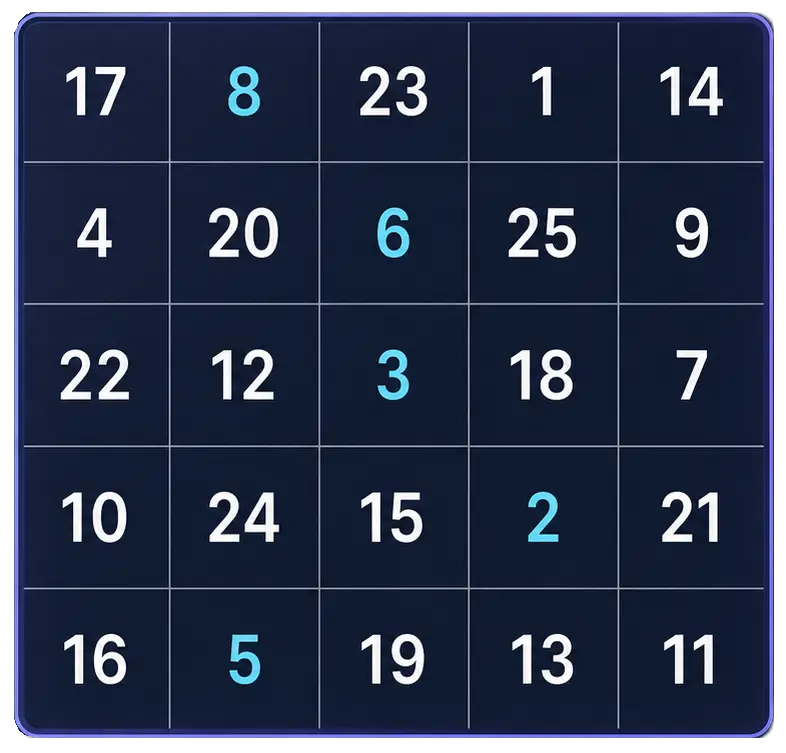
Practice Schulte tables online with a simple browser grid. Choose 3x3 through 7x7, track time and mistakes, and use pause, shuffle, and keyboard controls for quick focus sessions.
Start Free TrainerVisual Search Test
Find the target among distractors
Speed • Accuracy • Focus
Visual Search Test
Browser toolGoal: Faster target spotting with better accuracy
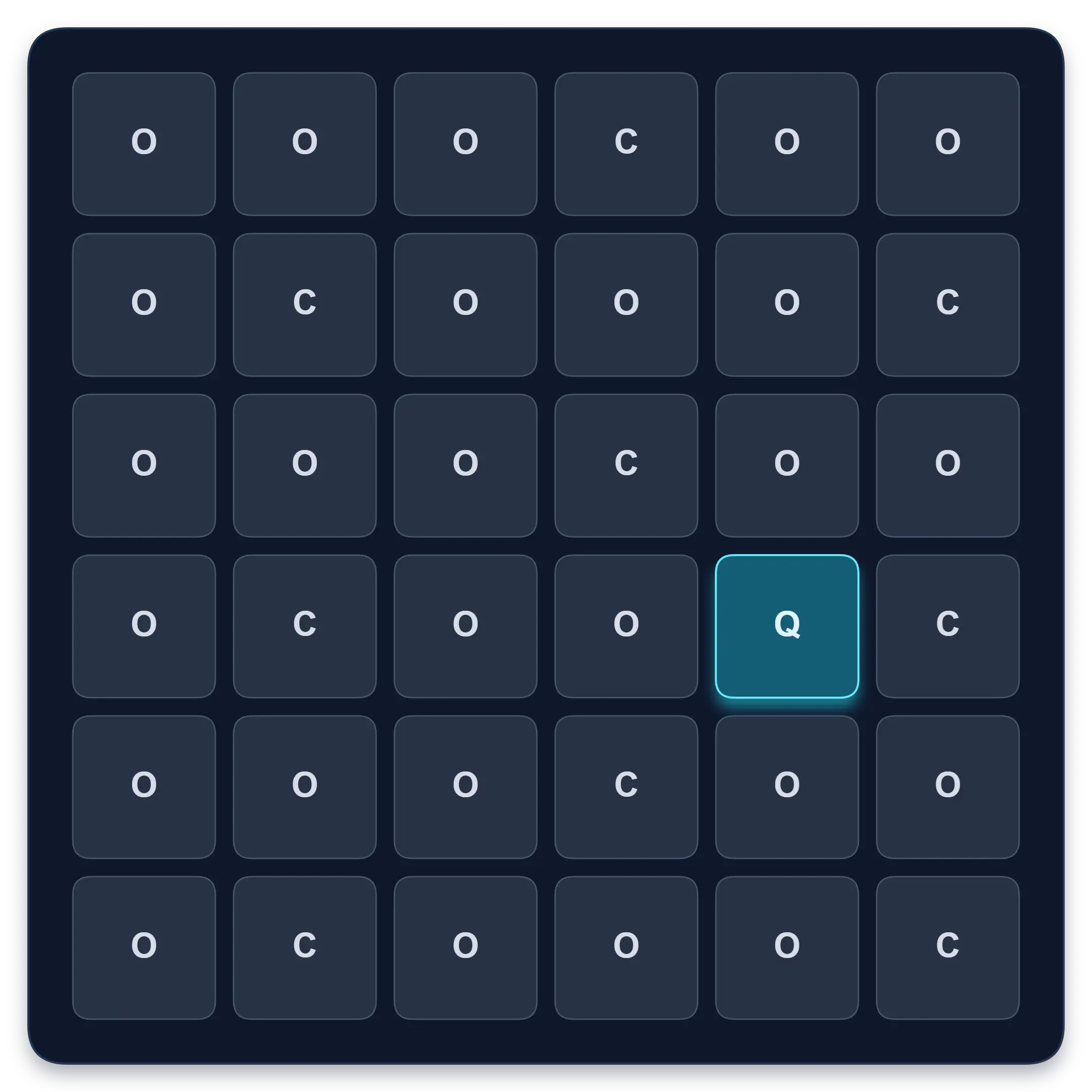
Find one target among similar symbols, letters, or numbers. Complete ten short rounds and track median response time, accuracy, and clean results.
Start Visual Search TestPeripheral Awareness Trainer
Notice brief off-centre targets
Awareness • Accuracy • Focus

Peripheral Awareness Trainer
Browser toolGoal: Off-center awareness while holding focus
Keep attention near the centre while noticing brief off-centre targets. Complete a dual task and review central, peripheral, and combined accuracy.
Start Awareness ExerciseContinue in the app
Use the app when you want structured sessions and longer-term tracking.
Schulte table training with progress
History, heatmaps, pace, and weekly review
History • Heatmaps • Progress
Quartenson: Schulte Tables
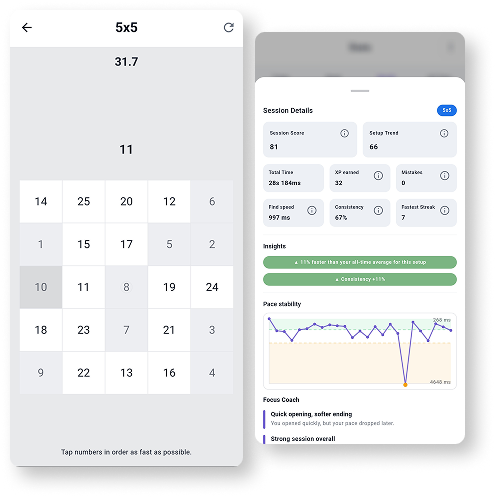
Available nowTrain Schulte tables on Android with session history, pace patterns, heatmaps, achievements, and weekly progress review.
Explore Schulte Tables