
A short browser practice session
For people who want a structured updating task rather than memorizing an entire list. Try 1-back first to learn the response rhythm, then change N only when you understand the rule.
Follow positions on a nine-cell grid and decide whether each matches the position N steps earlier. Try visual 1-, 2- or 3-back with twenty scored trials.
Visual N-back asks you to compare the current position with the position N steps earlier. Keep updating that short position history as the highlighted cell moves around the nine-cell grid. This tool uses one visual stream, not an audio-visual dual N-back task.
This is practice on a specific task, not a medical assessment or IQ test. Results depend on settings, device, input method and familiarity. Compare like-for-like sessions; a higher score does not establish general cognitive improvement.
Choose the task that fits what you want to practise.
For people who want a structured updating task rather than memorizing an entire list. Try 1-back first to learn the response rhythm, then change N only when you understand the rule.
Compare sessions with the same settings, language and input method. Review accuracy and unanswered trials before response time. These are task results, not population norms or a measure of intelligence.
The latest 10 local sessions are kept on this device. Signed-in sessions are saved to your account; guest sessions can be imported after review. No digits, positions, words or answers are uploaded.
Accuracy counts every scored trial, including unanswered trials. Response time is the median of answered trials and is shown alongside accuracy, never as a substitute for it.
This is practice on a specific task, not a medical assessment or IQ test. Results depend on settings, device, input method and familiarity. Compare like-for-like sessions; a higher score does not establish general cognitive improvement.
The latest 10 local sessions are kept on this device. Signed-in sessions are saved to your account; guest sessions can be imported after review. No digits, positions, words or answers are uploaded.
Use the metrics together. Faster answers with more mistakes do not necessarily represent better task performance.
| Metric | What it means |
|---|---|
| Correct | Correct answers out of all scored trials. Wrong and unanswered trials remain in the total. |
| Median response | The middle response time among answered trials, including wrong answers. Unanswered trials are excluded. |
| Hits / false alarms | Hits are correctly identified matching positions. False alarms are Match answers to non-matching positions. Missing a window is counted separately. |
Choose 1-, 2- or 3-back and 1.5, 2.5 or 3.5 seconds per position. The first N positions are unscored warm-up. Then answer twenty trials; six are matches. Each highlight lasts 500 ms and you may answer during the remaining window.
Answer both matches and non-matches. Do not compare only with the previous position in 2- or 3-back. A slower pace gives more time per decision without changing the 500 ms flash.
Compare sessions with the same settings, language and input method. Review accuracy and unanswered trials before response time. These are task results, not population norms or a measure of intelligence.
Pause or open the guide when you need a break. Resume the same trial when ready; paused time is excluded.
Practical answers about the task, settings and saved results.
No. This is single visual N-back using positions only. There is no simultaneous sound or letter stream.
The latest 10 local sessions are kept on this device. Signed-in sessions are saved to your account; guest sessions can be imported after review. No digits, positions, words or answers are uploaded.
Compare sessions with the same settings, language and input method. Review accuracy and unanswered trials before response time. These are task results, not population norms or a measure of intelligence.
Backward Digit Span
Recall digits in reverse order.
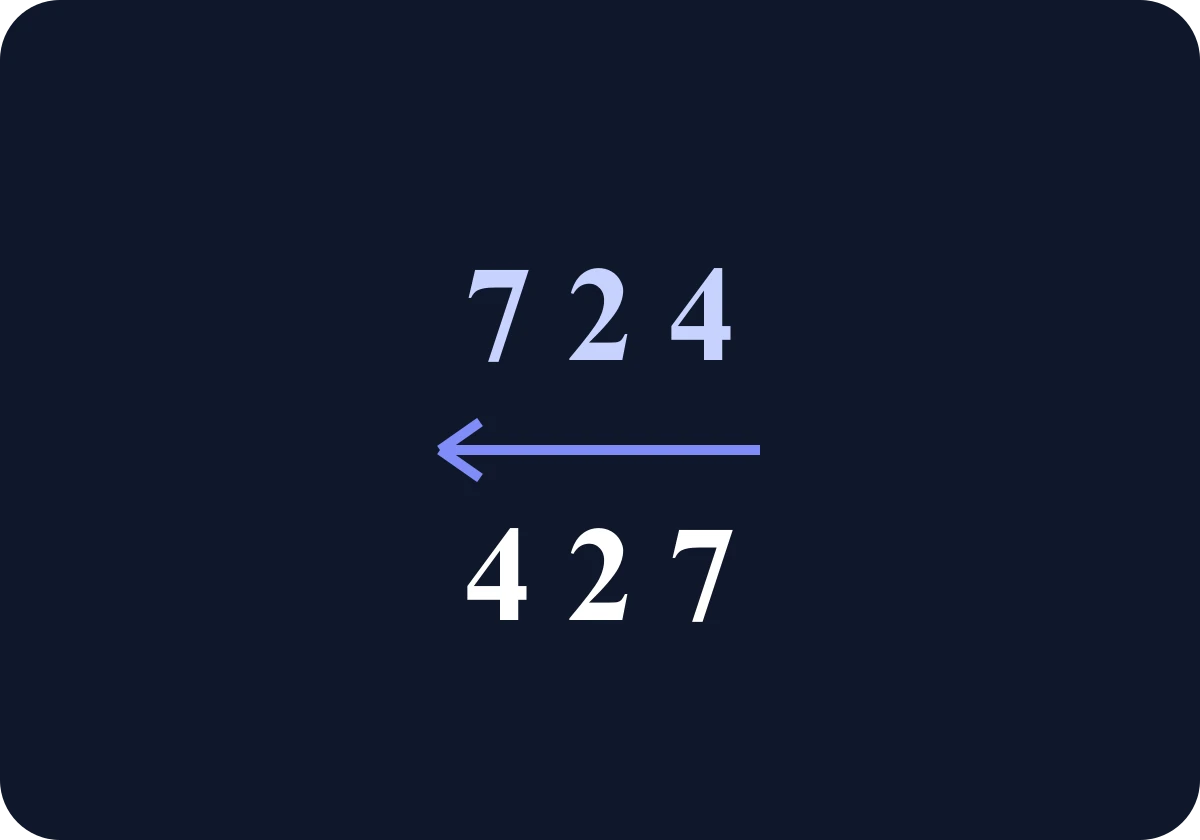
Goal: Backward Digit Span
Watch digits appear one at a time, then recall them backwards. Practise eight rounds with a fixed length by default and review your accuracy and longest correct span.
Start: Backward Digit SpanStroop-style Color Challenge
Match color words to their ink color.
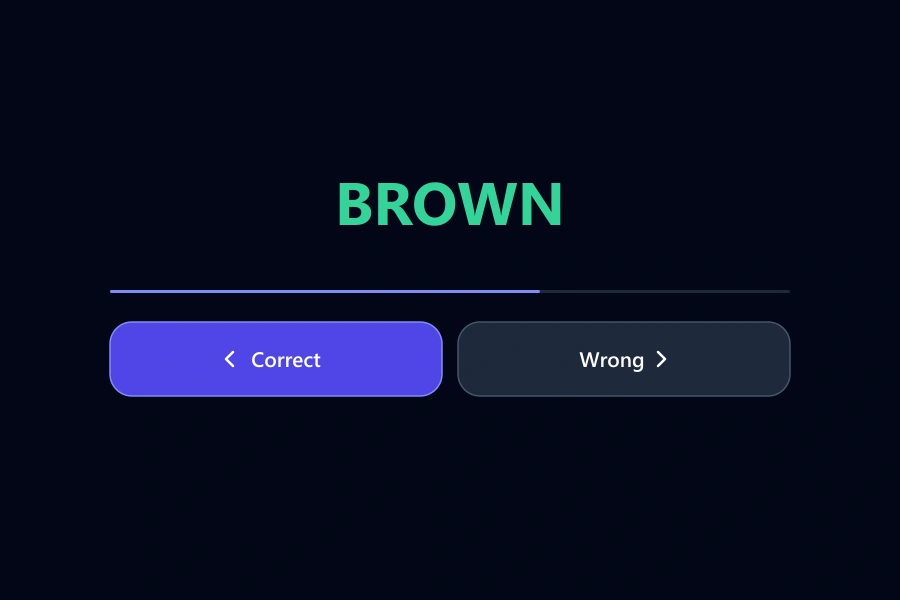
Goal: Stroop-style Color Challenge
Decide whether a color word matches its ink color. Choose 10, 20 or 30 rounds, or practise for 30, 60 or 90 seconds, and review accuracy and response time.
Start: Stroop-style Color ChallengeFree Schulte Table Trainer
Find the numbers in order
Focus • Scanning • Speed
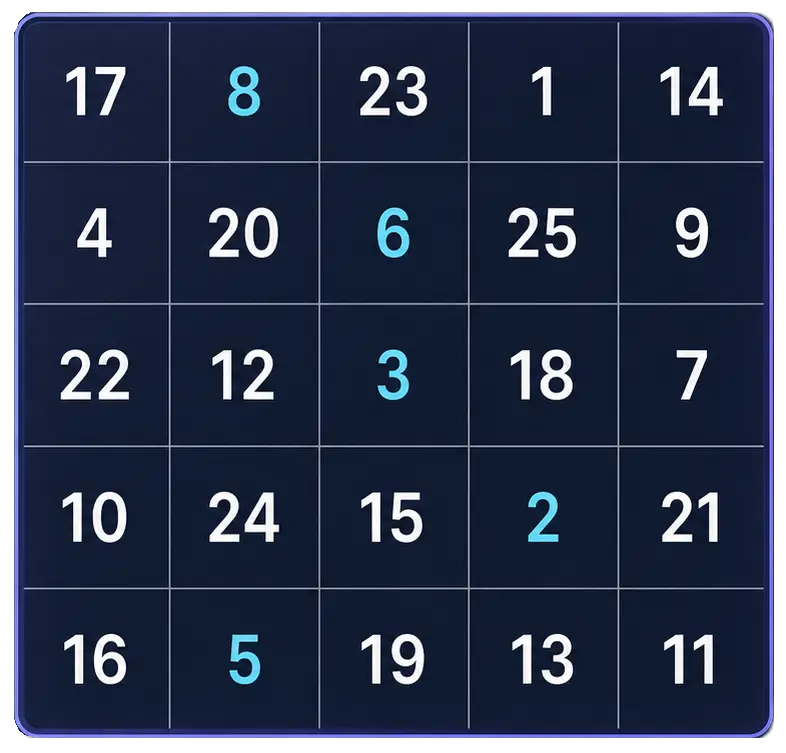
Goal: Cleaner 5x5 rounds with fewer mistakes
Practice Schulte tables online with a simple browser grid. Choose 3x3 through 7x7, track time and mistakes, and use pause, shuffle, and keyboard controls for quick focus sessions.
Start Free TrainerUnderstand N-back with a worked 2-back example. Learn the difference between single and dual N-back and read hits, false alarms and accuracy together.
Learn how pattern and sequence memory differ, try evidence-informed visual memory exercises, and follow a practical 14-day plan with repeatable progress tracking.
Learn how to benchmark cognitive training progress with time, accuracy, mistakes, consistency, streaks, and Quartenson community and this-device comparisons.
Schulte table training with progress
History, heatmaps, pace, and weekly review
History • Heatmaps • Progress
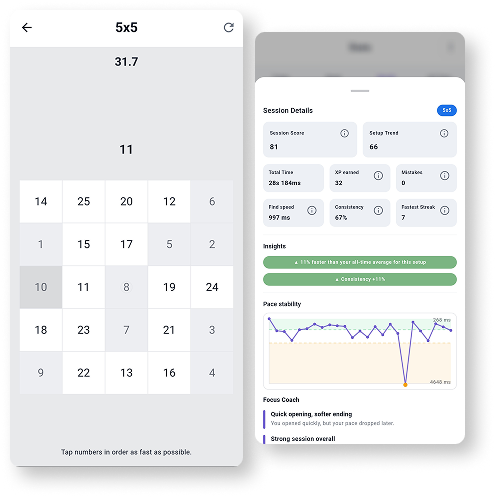
Train Schulte tables on Android with session history, pace patterns, heatmaps, achievements, and weekly progress review.
Explore Schulte Tables